← Open Backtest app · Learning center
Product screenshots
Backtest app screenshots for strategy testing and paper signal monitoring.
These real app screens show how traders choose a market, run a backtest, inspect BTC result charts, review saved history, and create paper signal bots from profitable historical setups.
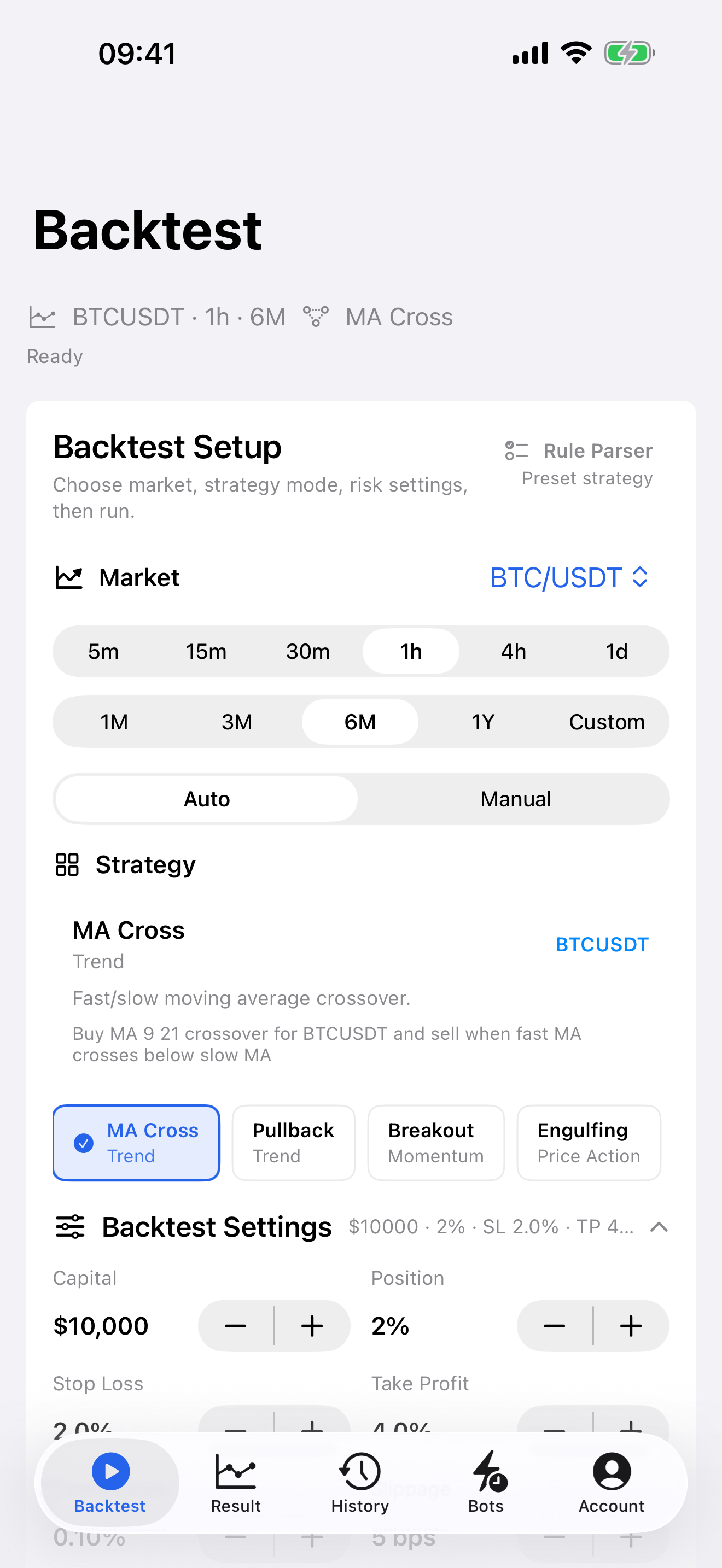
Strategy setup
Choose market, timeframe, period, auto or manual strategy mode, and risk settings before running a backtest.
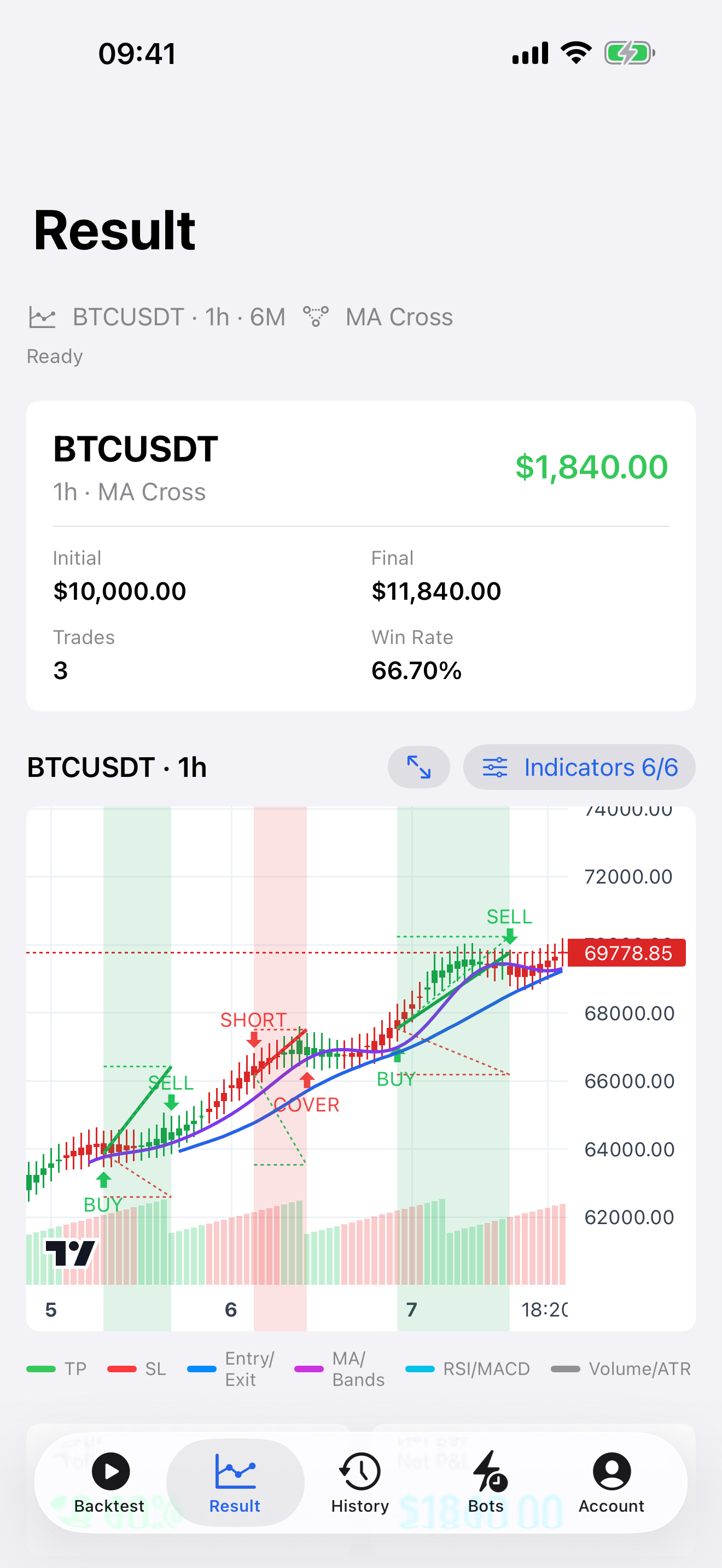
Result chart
Inspect backtest metrics and chart evidence, including entries, exits, indicator overlays, stop loss, and take profit.
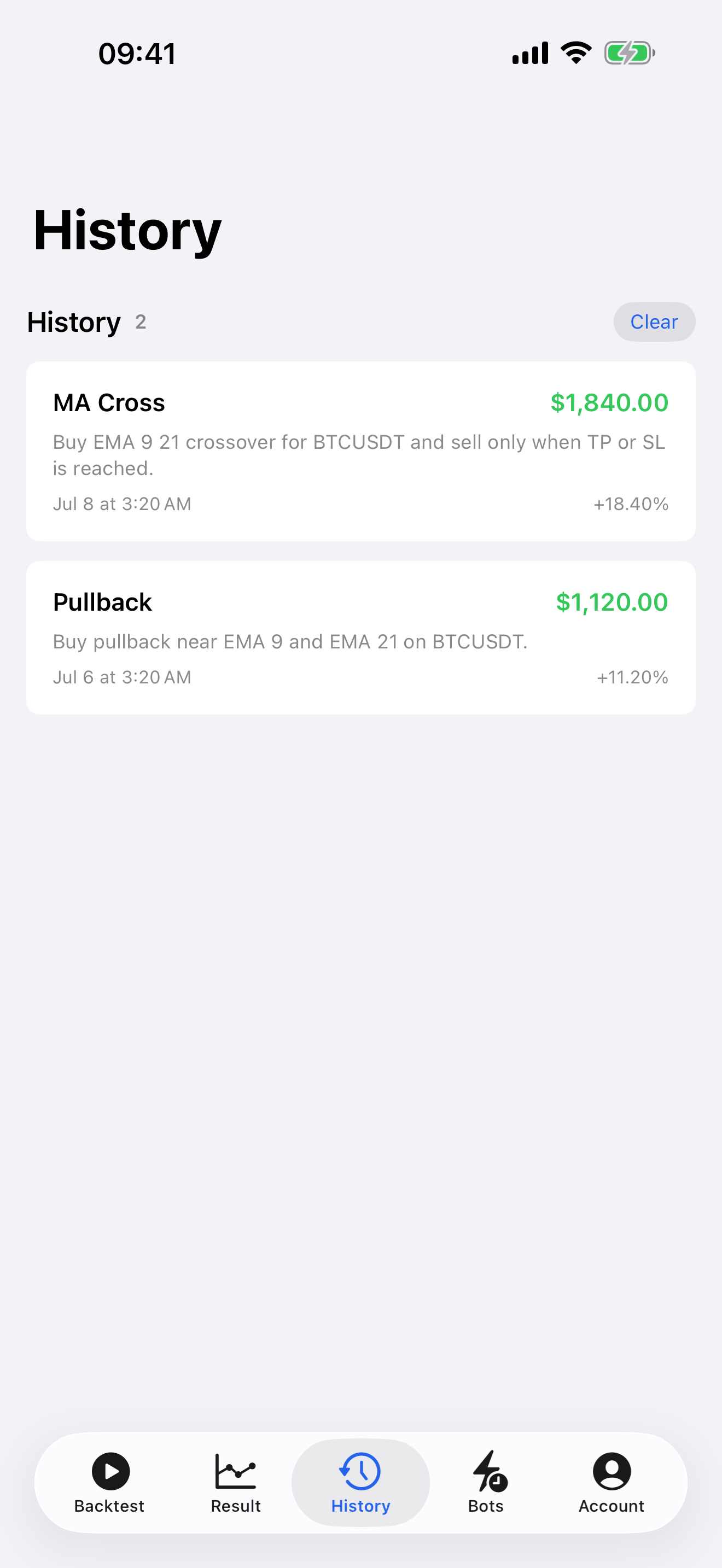
Saved history
Review previous backtests and rerun saved strategy setups without consuming quota for restored history.
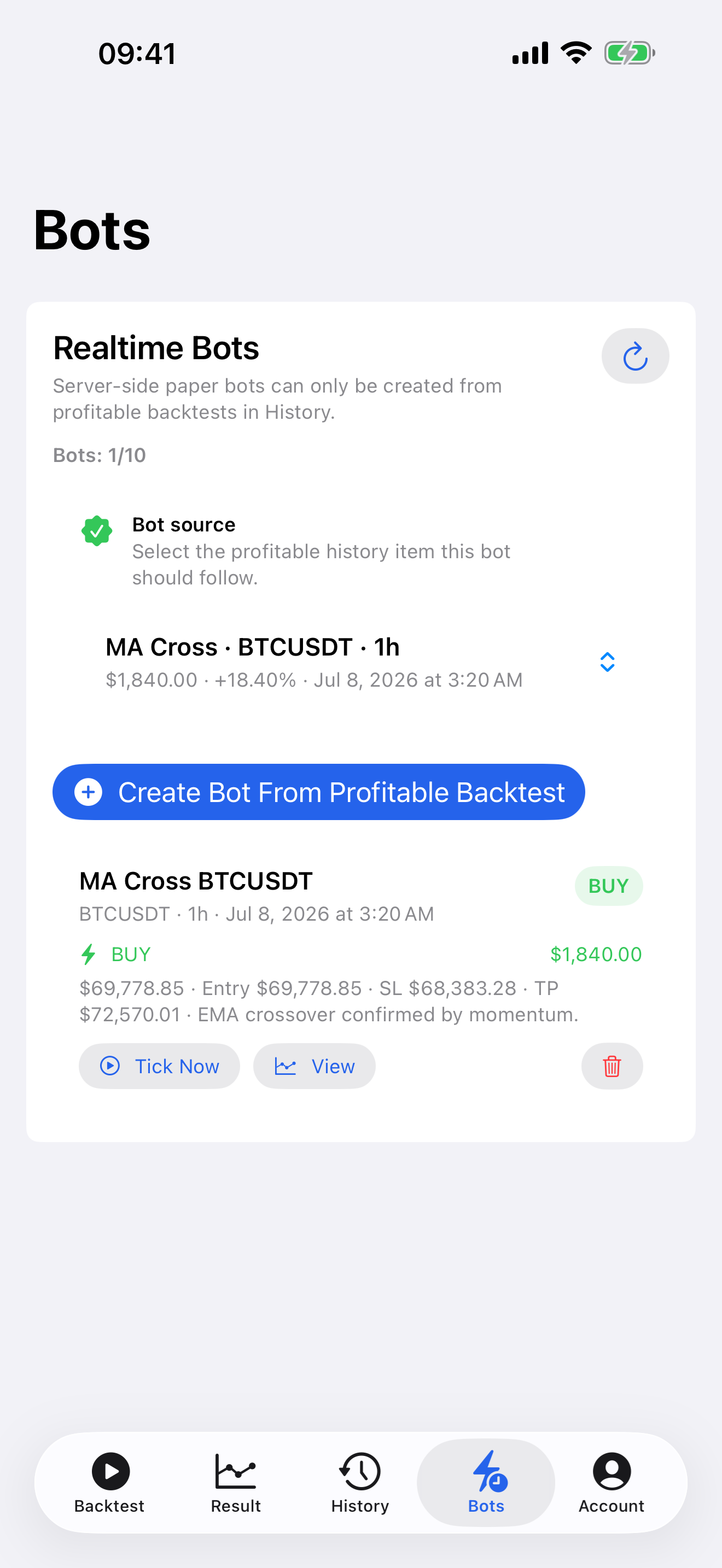
Paper signal bots
Create paper bots from profitable historical setups to monitor simulated signals without placing real trades.