Strategy research
Best Backtesting App Features: What Traders Should Check
Reviewed by the Backtest Editorial Team · Editorial policy
Compare backtesting app features that matter: explicit rules, realistic costs, trade evidence, drawdown, confidence checks, and paper-signal monitoring.
Quick answer
The best backtesting app is not the one that produces the prettiest return chart. It is the one that makes a trading idea testable, shows the assumptions that shaped the result, and gives you enough evidence to reject a weak rule. Look for explicit entry and exit rules, historical data that matches the timeframe, commission and slippage controls, stop loss and take profit settings, trade-by-trade chart review, drawdown and profit-factor reporting, and a way to monitor a surviving idea forward without placing live orders.
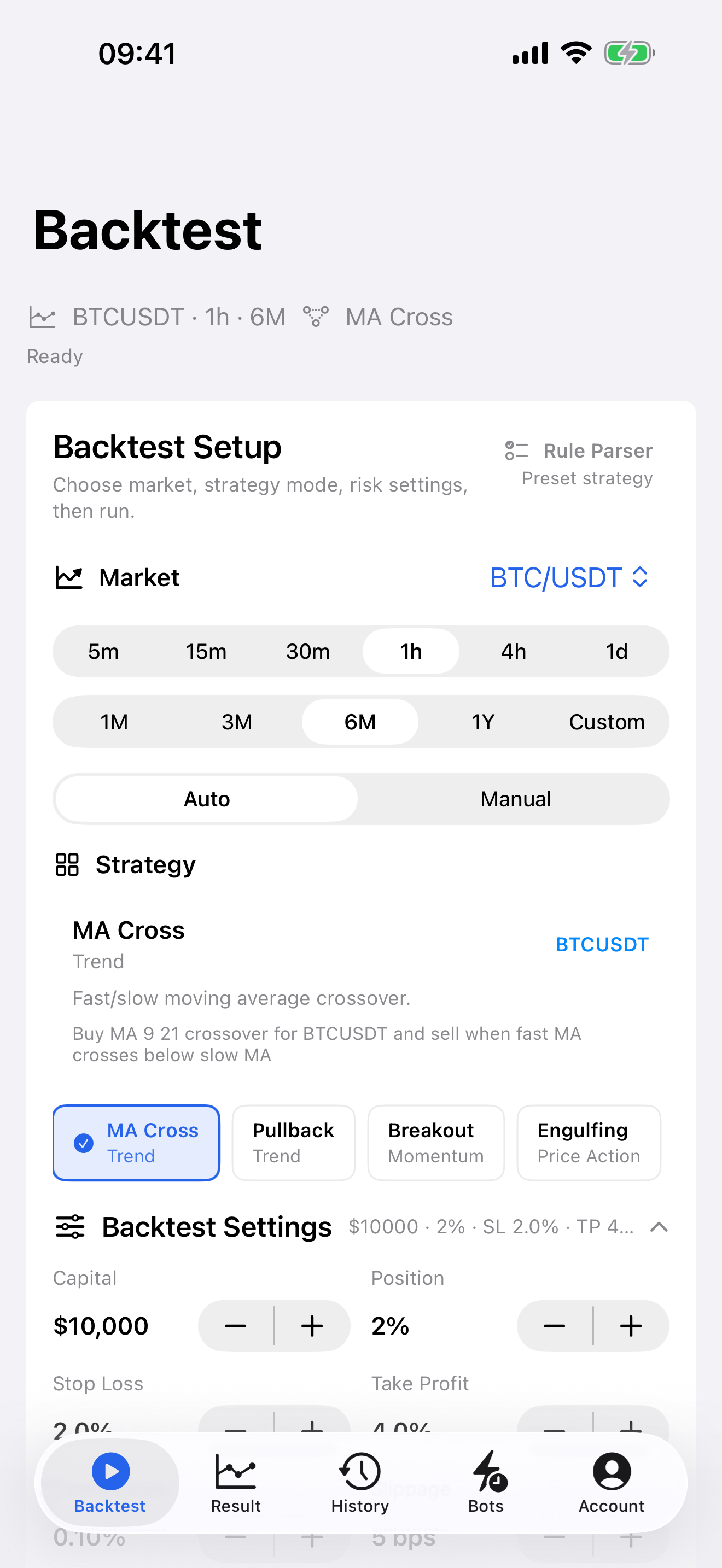
Backtest is designed around that research workflow. It lets you select a market, timeframe, test period, template or custom visual rules, direction, position size, fees, slippage, stop loss, and take profit; then it returns metrics, chart evidence, saved history, and optional paper signal monitoring. It is a research app, not a broker or execution venue.
What a backtesting app should prove
“Best” is a poor comparison criterion if it means the most indicators or the largest in-sample return. A useful app should let a trader state a hypothesis in rules and then make the rules face a complete historical period in chronological order. A crossover, pullback, breakout, RSI, MACD, or manual rule needs an unambiguous entry, an exit, a direction, and risk settings. If an app cannot show what caused an entry or exit, it is hard to know whether the result came from the intended rule or from a hidden assumption.
This matters because a single headline metric can be seductive. A 70% win rate says little without average win, average loss, trade count, costs, and drawdown. A high return may be one oversized winner. A smooth equity curve can hide a small sample. The feature set should help you ask harder questions: how often did the rule trade, when did it lose, did costs remove the edge, and can the result survive a fresh period?
Backtest's published methodology describes a chronological, single-position simulation. Trades open only after the configured entry condition and close through stop loss, take profit, signal exit, or end of data. Commission and slippage are applied to simulated entries and exits. That transparency is more useful than a black-box score because the trader can inspect the assumptions.
Feature checklist for comparing backtesting apps
1. Explicit strategy and direction controls
Start with the rule engine. A practical tool should support a clear strategy mode and let you choose long-only, short-only, or both directions. Presets are useful for a first hypothesis, but the app should also make parameters and exit behavior visible. In Backtest, preset choices include MA Cross, Pullback, Breakout, RSI, Bollinger, MACD, and price-action styles; manual rules can be described as a research prompt. The result still needs a chart-level review.
2. Market, timeframe, and sample controls
A five-minute idea cannot be fairly judged on daily candles, and a trend rule should not be selected from one unusually strong month. Look for symbol, timeframe, and date-range controls. Backtest supports selected crypto pairs, forex, gold, stocks, ETFs, futures, indexes, and other supported symbols, subject to data availability. Use enough history to include more than one market condition rather than choosing only the period that flatters the idea.
3. Friction and risk assumptions
Commission, slippage, position size, stop loss, and take profit are not cosmetic inputs. They change both the path and the final result. A frequent-trading strategy can lose its apparent edge once costs are included. A fixed stop can make a high win rate look attractive while creating a large tail loss. A comparison app should expose these inputs before the test runs and report net results after costs.
4. Evidence, not only a score
Look for net profit, win rate, max drawdown, profit factor, trade count, equity curve, and individual trade details. Backtest also presents a confidence score that considers trade count, candle count, profit factor, net profit, win rate, drawdown, and concentration risk. Treat any score as a quality check, not a forecast. Open the largest win, largest loss, and a few clustered losses on the chart before trusting a result.
5. A forward-research bridge
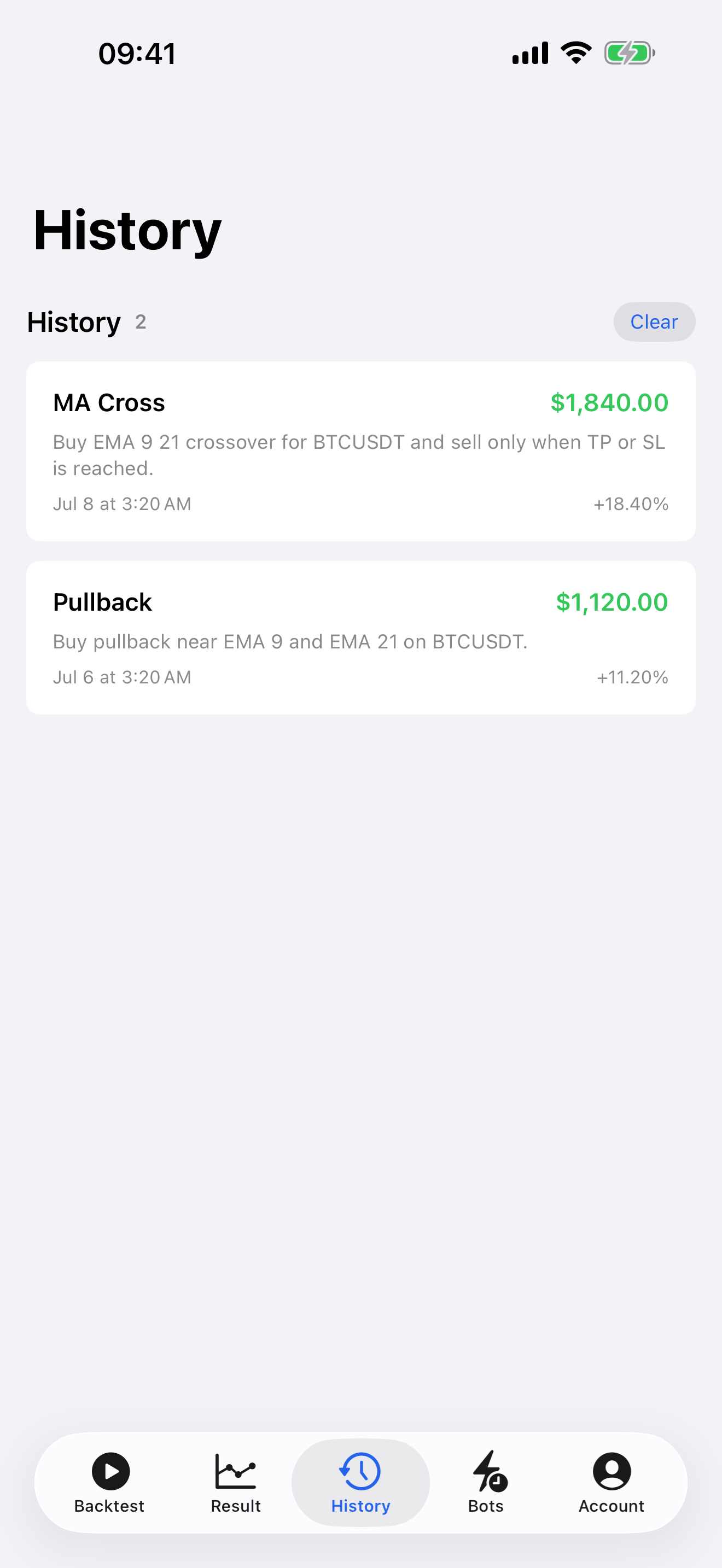
Historical testing answers what would have happened under the stated assumptions. It cannot prove what will happen next. A useful workflow can save the setup and observe it forward through paper signals. Backtest paper signal bots monitor simulated signals and can notify users; they do not place real trades. That separation keeps the next validation step honest.
Research context: why feature depth matters
Investopedia's overview of strategy backtesting emphasizes reconstructing historical trades from defined rules, then using performance statistics to evaluate the idea. For an app comparison, the practical implication is simple: features that reveal the rule, data period, costs, and trade history are more valuable than features that merely decorate a chart.
Academic work on the probability of backtest overfitting warns that testing many variations against the same historical data can select noise. This is not only a problem for institutional quantitative research. A retail trader can overfit by repeatedly adjusting indicator lengths, stop distance, take-profit target, date range, and entry filter until a single result looks impressive. The right app features make that behavior harder to hide: preserve settings, show trade count and drawdown, compare the same rule across periods, and keep a record of what changed.
For the publishing layer, localized pages also need transparent technical signals. Google recommends linking language versions so Search can direct users to an appropriate variation, and its Article documentation recommends structured data that describes the visible article, image, author, and dates. Those details do not guarantee a rich result, but they make the page easier for search systems to understand.
Backtest app setup example: compare BTC/USDT with XAU/USD
Use the same risk structure to compare behavior across markets rather than trying to declare one market “better.” Create two saved tests:
Test A: BTC/USDT, 1H, six months, Pullback strategy, both directions, 2% position size, 0.10% commission, 5 bps slippage, 2% stop loss, 4% take profit.
Test B: XAU/USD, 1H, six months, the same Pullback strategy, both directions, 2% position size, with fee and slippage assumptions adjusted to the instrument you would actually use, plus the same 2% stop and 4% target as a starting comparison.
Do not treat the numbers as a recommendation. The point is to isolate the question. Compare trade count, net result after costs, max drawdown, profit factor, and the sequence of losses. If one result has only a few trades, it has not earned much confidence. If one market looks strong only because of one outsized trend, inspect the chart and test a different date range before changing the strategy.
How to read the results without fooling yourself
Read results in layers. First, verify the setup: symbol, timeframe, period, direction, fees, slippage, stop, target, and exit mode. A good metric from the wrong configuration is not evidence. Second, look at sample size. More trades do not automatically mean quality, but very few trades provide little information about a rule's distribution of outcomes.
Third, read net profit together with profit factor and drawdown. Profit factor compares gross profit with gross loss; it can be more informative than win rate alone. Drawdown describes the severity of the losing path a trader would have had to tolerate. Fourth, inspect the equity curve and trades. A strategy that makes money in one burst and gives it back for months may be much harder to execute than the final return suggests.
Finally, rerun the rule on a later period or a nearby market without changing every parameter. If a small, explainable edge disappears immediately, that is information. The goal is not to rescue the idea. The goal is to avoid risking capital on a story that only worked in hindsight.
Common mistakes when choosing a backtesting app
- Choosing by win rate alone. Check average win, average loss, profit factor, drawdown, and trade count.
- Ignoring fees and slippage. Enter realistic assumptions before comparing strategies.
- Using one favored period. Include trend, range, and volatile conditions where possible.
- Optimizing every setting at once. Change one assumption, record it, and test on a separate period.
- Skipping trade review. Metrics cannot reveal every late entry, clustered stop, or mismatch between the rule and the chart.
- Confusing paper signals with execution. Paper monitoring is a forward-research step; it does not place orders or remove risk.
Practical checklist
- Can you state the entry, exit, and direction in one sentence?
- Can you select the market, timeframe, and historical period?
- Can you include commission, slippage, position size, stop loss, and take profit?
- Does the result show net profit, trade count, drawdown, profit factor, and an equity curve?
- Can you open individual trades on a chart?
- Can you save and rerun the exact setup?
- Can you compare another period without quietly changing the rule?
- Can you observe a surviving setup with paper signals before using real capital?
Risk note
Backtest is for education and strategy research. It is not financial advice, investment advice, a brokerage, an exchange, or an order execution platform. Historical simulation does not guarantee future performance. Trading crypto, forex, gold, stocks, futures, and other financial assets is risky and can result in loss of capital. AI rule parsing and paper signal bots can be wrong and should be treated as research support only.
Research sources
Related guides
Compare a strategy setup in Backtest
Backtest Trading for iOS
Continue your research on iPhone
Run another setup, inspect every simulated trade, and keep your strategy research close at hand.
Download on the App Store